

With simple steps, you can add a new member to the team to the projects and tasks assigned to them.
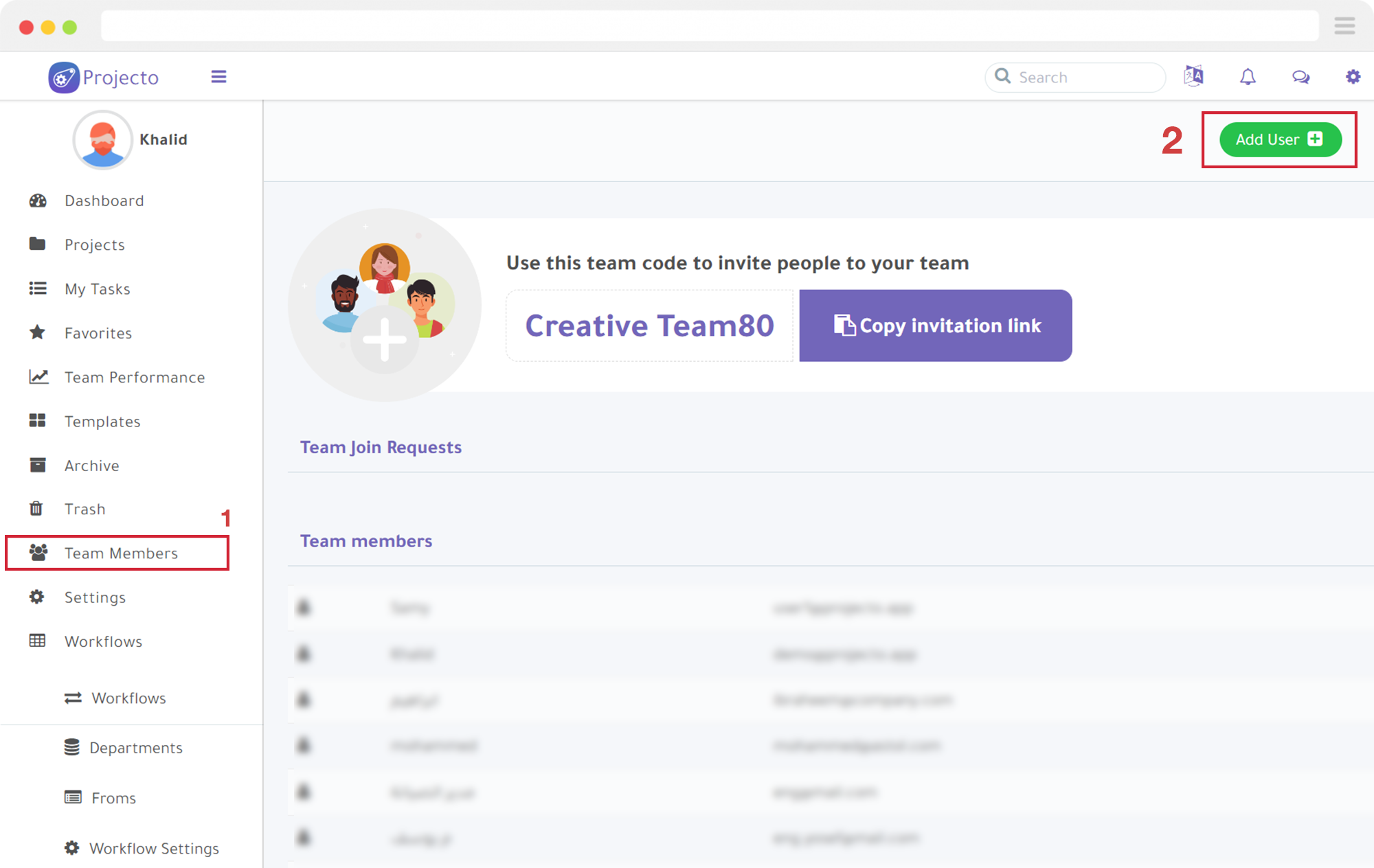
- Select “Team Members” from the main menu, then “Add User“.
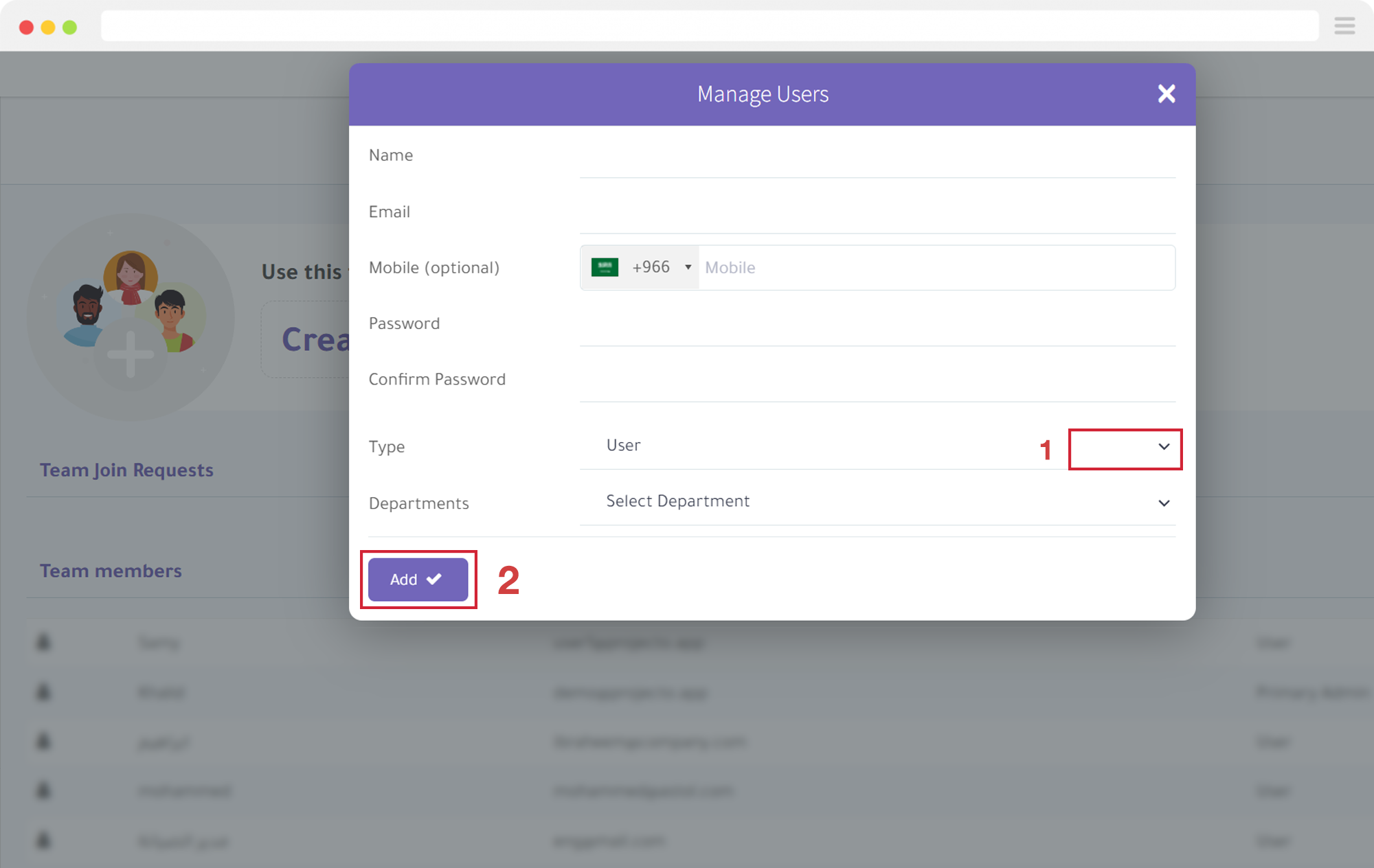
- Enter the required information for the new user, then click the “Add” button.
It’s as simple as that to add team members to your project.
Learn how to create and customize project boards.
Try Projecto Free - The Best Arabic Project Management Tool
Start Your Free Trial