

Projecto is designed to help you execute and delegate tasks to your team members in the simplest ways. Now, I will explain the steps you need to follow to assign a manager to the entire team.
Steps to assign a manager in Projecto:
- From the homepage, select the project to which you want to assign a manager.
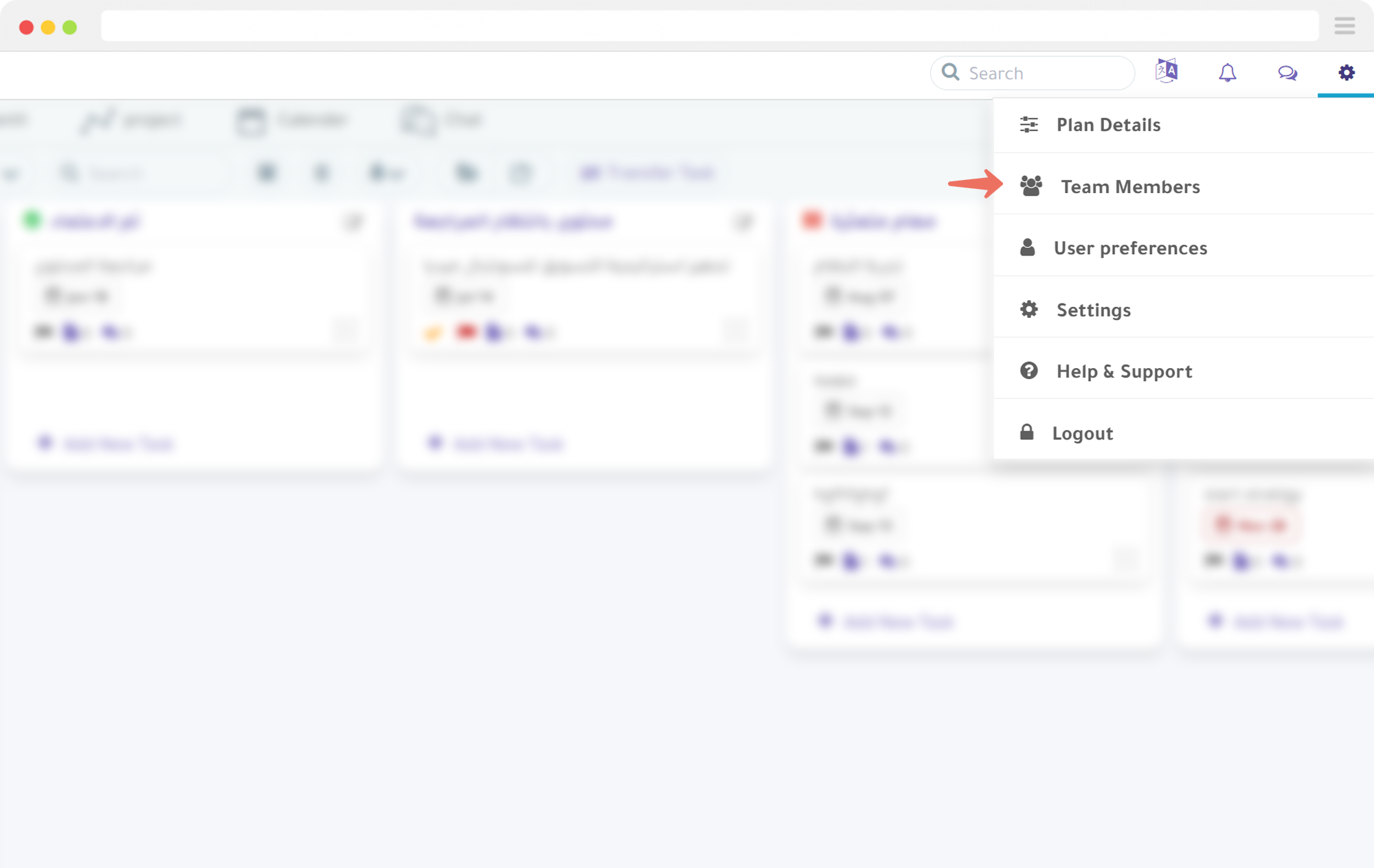
- Click on the settings icon, then choose “Team Members” from the dropdown menu.
- Click on the “Add User” button.
- Next to the user type, indicated by an arrow, a dropdown menu will appear. Select “Manager.”
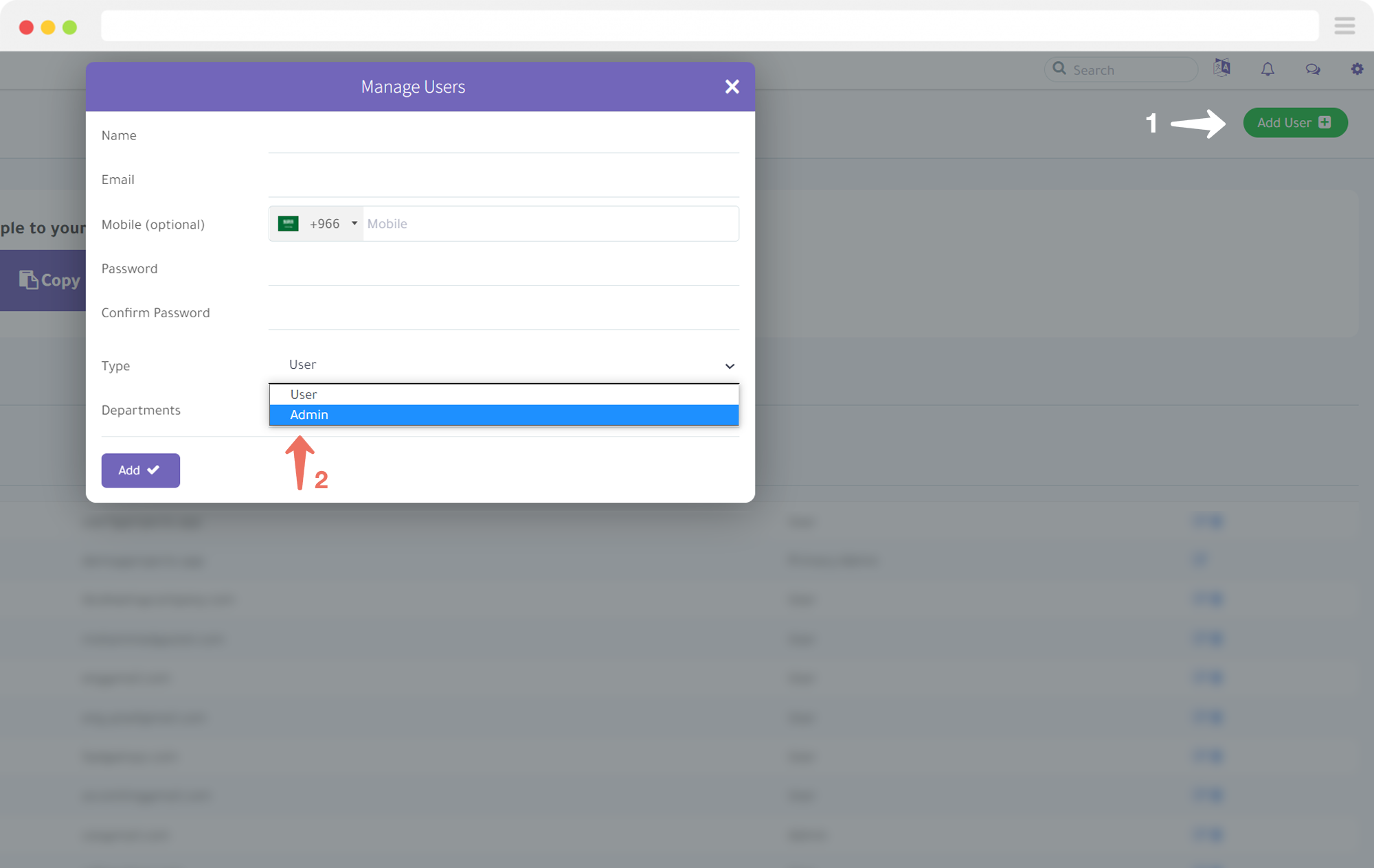
- Click the “Add” button.
As you can see, it’s very simple to manage your team on the Projecto application. If you need further assistance, don’t hesitate to contact us.
Try Projecto Free - The Best Arabic Project Management Tool
Start Your Free Trial