Enabling email notifications is a simple process that can be customized to suit your preferences, helping you manage your projects smoothly and accurately.
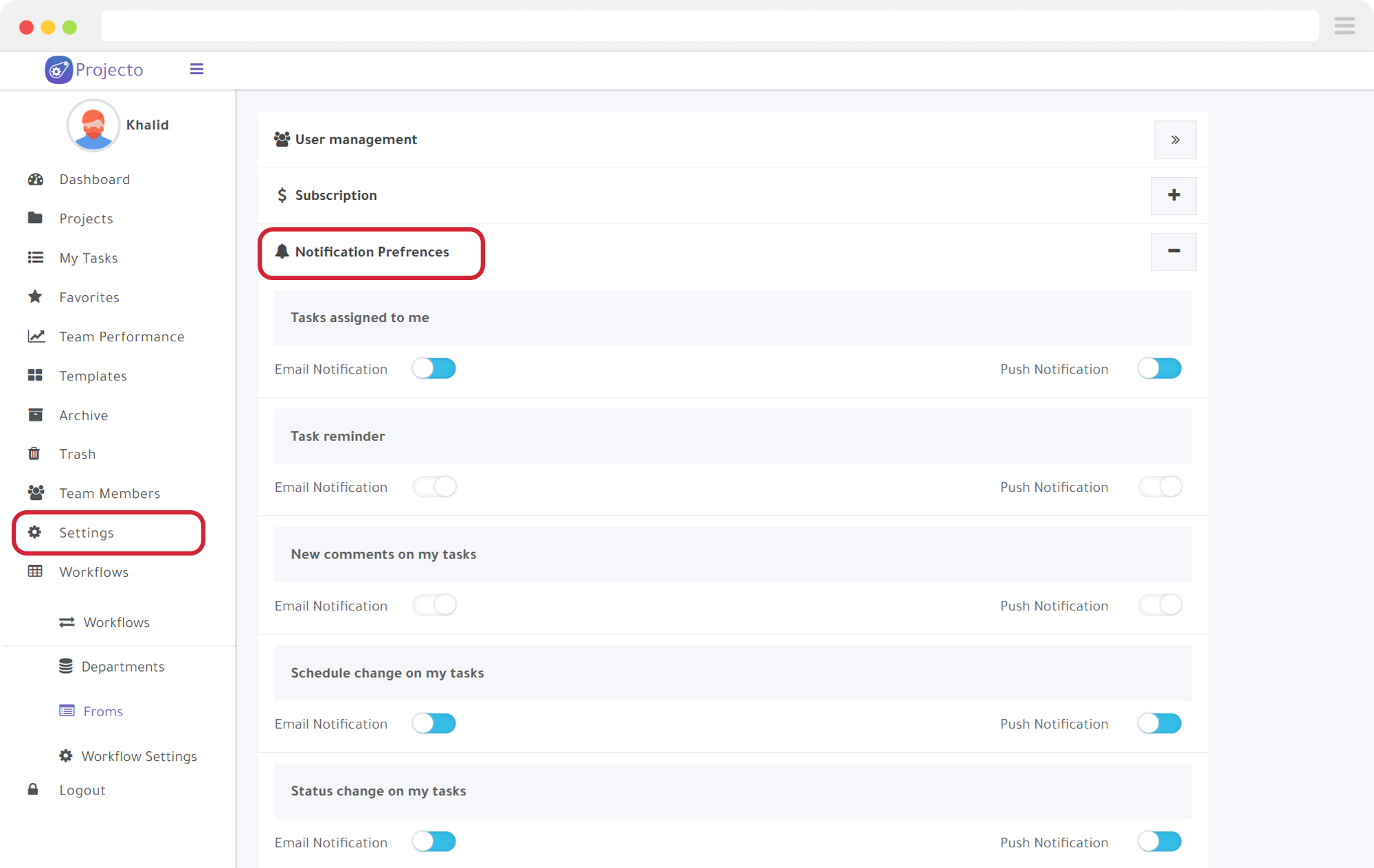
Steps to configure notifications:
- From the main menu, select “Settings,” then “Preferred Notifications.“
- Adjust the notifications as desired, then click “Save.”
Also, check out the steps to add your team to the project.
Try Projecto Free - The Best Arabic Project Management Tool
Start Your Free Trial